
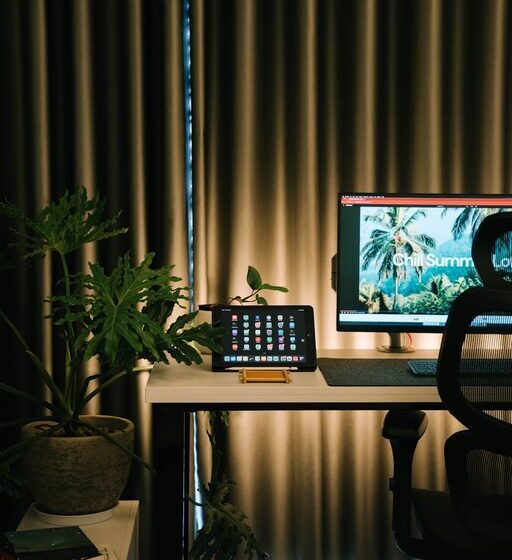

Creating a home office that is both cozy and productive can make a big difference in your work-from-home experience. Whether you’re freelancing, running a business, or working remotely for a company, having a dedicated space that inspires focus and comfort helps you stay motivated and organized. Here are some practical tips to design a home office that feels inviting and supports your productivity.
Choose the Right Location
Finding the best spot for your home office is the first step. Ideally, pick a quiet area away from heavy foot traffic and noisy appliances. Natural light is a big plus, so near a window if possible, but be mindful of glare on your computer screen.
If space is limited, consider setting up in a corner of your living room or bedroom with room dividers or curtains to create a sense of separation.
Prioritize Comfort with Furniture
Comfortable furniture helps prevent fatigue and keeps you focused during long work sessions.
– Desk: Choose a desk with enough surface area for your computer, notebook, and other essentials. Adjustable desks or standing desks offer flexibility.
– Chair: Invest in a supportive ergonomic chair that encourages good posture.
– Additional Seating: If space allows, add a cozy chair or small sofa for reading or brainstorming away from your desk.
Organize Your Space Efficiently
A clutter-free environment encourages mental clarity and productivity.
– Storage: Use shelves, cabinets, or drawers to keep supplies organized and out of sight.
– Desk Organization: Use trays, pen holders, and cable organizers to manage small items and cords.
– Digital Organization: Keep your desktop and digital files tidy to reduce distractions.
Add Cozy Elements
Incorporate touches that make your office space warm and welcoming.
– Lighting: Use a combination of natural light, desk lamps, and soft overhead lighting to avoid eye strain.
– Textiles: Add a small rug, cushions, or a throw blanket to soften the area.
– Plants: Indoor plants improve air quality and add life to your workspace.
– Personal Touches: Display photos, artwork, or inspirational quotes that make you smile.
Control Noise and Distractions
Minimizing interruptions helps maintain your workflow.
– Noise-Cancelling Headphones: Useful when there is background noise.
– White Noise or Music: Some people find soft background music or white noise helpful for focus.
– Set Boundaries: Inform household members of your work schedule and when you shouldn’t be disturbed.
Optimize Lighting and Screen Setup
Proper lighting and screen positioning reduce eye strain and boost comfort.
– Lighting Position: Position your desk so that natural light comes from the side, avoiding glare.
– Monitor Height: Your screen should be at eye level to prevent neck strain.
– Blue Light Filters: Use screen protectors or software to reduce blue light, especially in the evening.
Establish a Routine and Use the Space Wisely
A dedicated home office supports work habits that separate professional time from leisure.
– Schedule Breaks: Stand up, stretch, or take short breaks to refresh your mind.
– Keep it for Work: Avoid using the space for unrelated activities, so your brain associates it with productivity.
– End-of-Day Ritual: Tidy your desk and shut down equipment to mark workday completion.
Leverage Technology and Connectivity
Ensure your home office supports your work demands.
– Reliable Internet: A strong Wi-Fi connection is essential for video calls and online work.
– Accessories: Consider a second monitor, keyboard, or mouse for improved efficiency.
– Backup Power: A surge protector or uninterruptible power supply (UPS) can protect your devices.
—
By combining comfort, organization, and thoughtful design, your home office can become a place you look forward to working in every day. Remember, small changes can have a big impact. Start with a few tweaks and adjust over time until your space feels just right for you.